

What I can do for you
Stock and purchasing apps
Know what to buy, raise requests and track every order from request to receipt.
Procura
1 of 4
Procurement software
Inventory, suppliers, reorder planning and purchase orders in one connected application.
Runs purchasing at a veterinary hospital.
What it solves
Procura, 2 of 4
Stock levels, supplier information and purchasing decisions are difficult to follow when they live in separate spreadsheets and conversations.
- Review stock and reorder points
- Plan purchases by supplier
- Draft and review orders
- Track the purchasing history
Its screens
Procura, 3 of 4
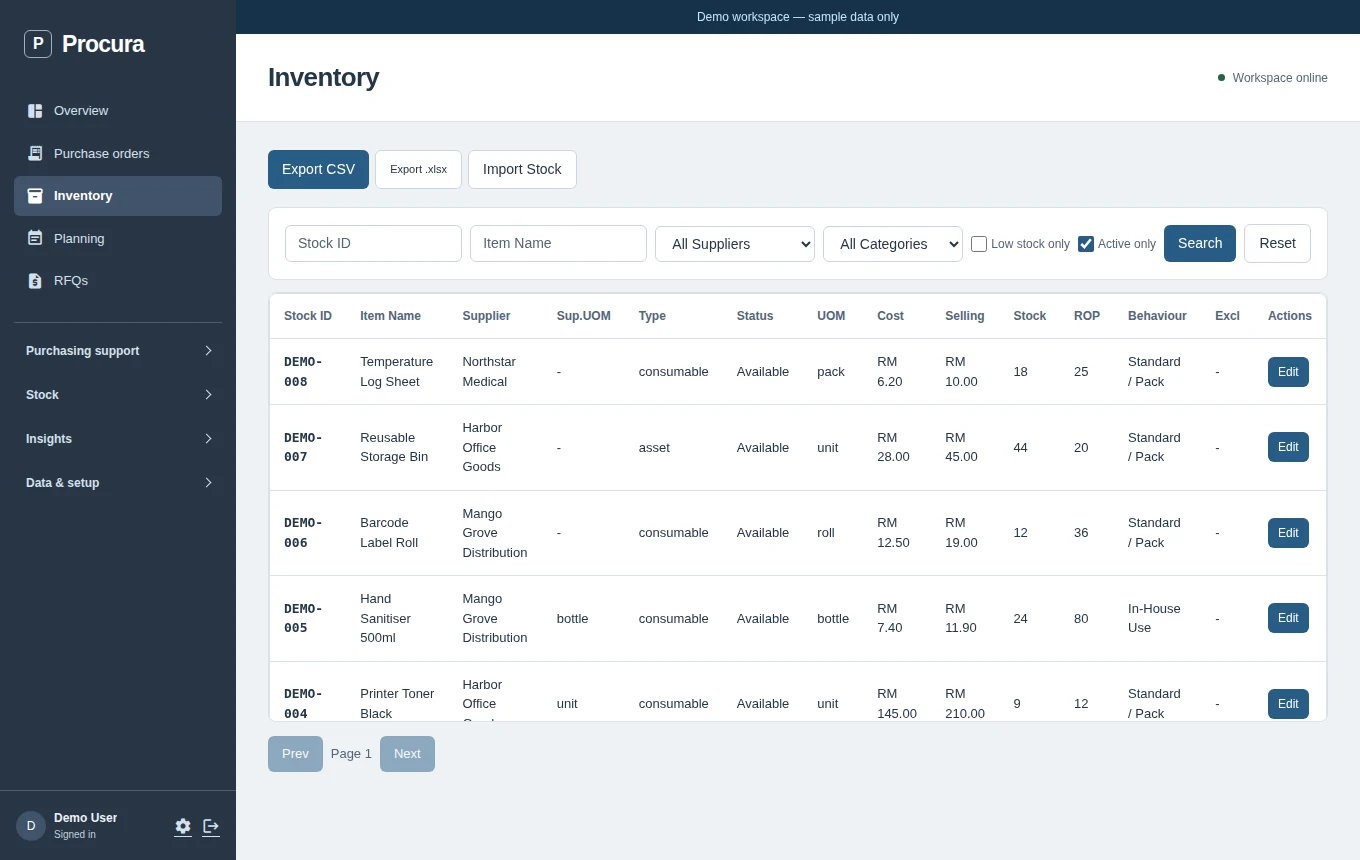
- Inventory. See stock levels and reorder points before deciding what to buy.
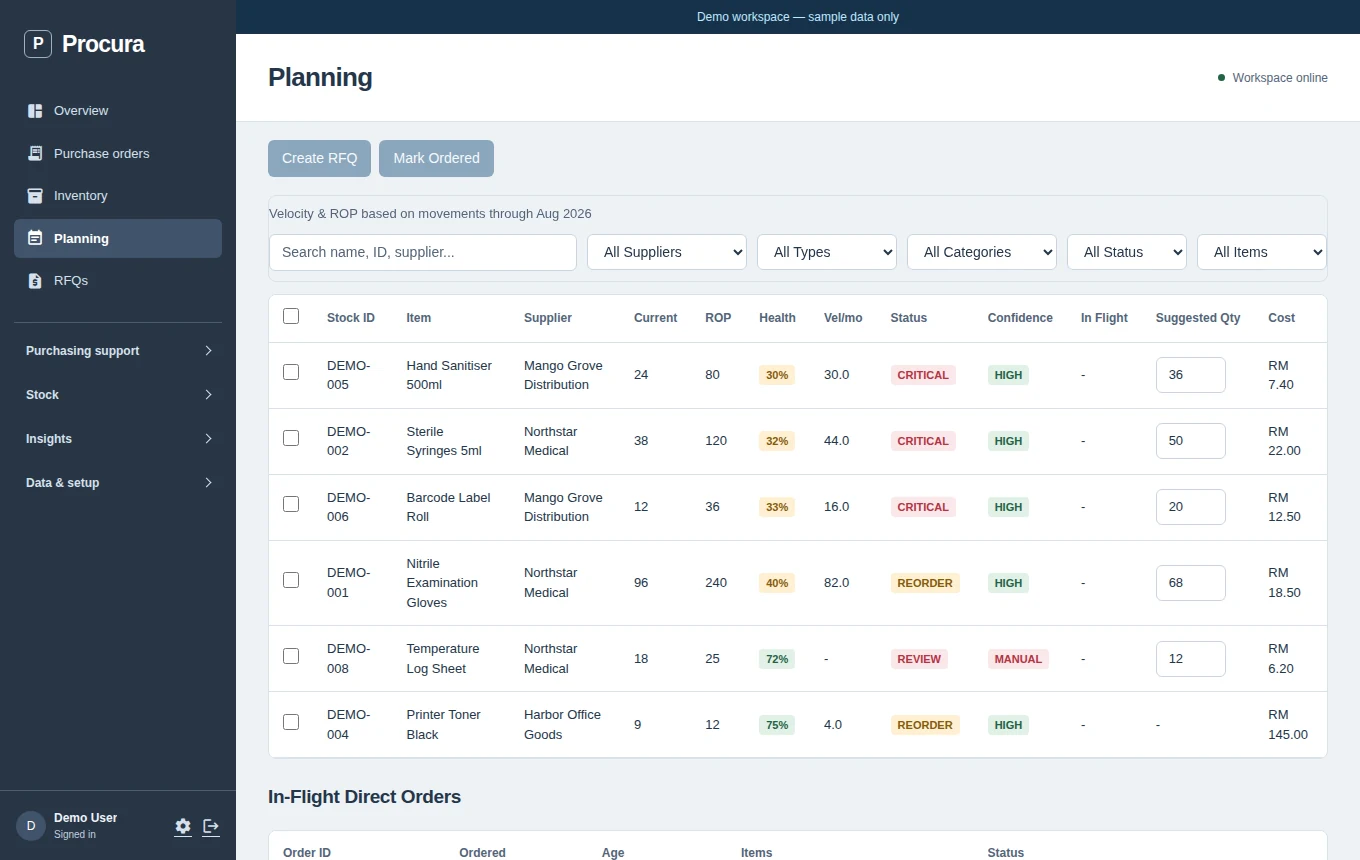
- Planning. Review reorder planning alongside a fictional stock list.
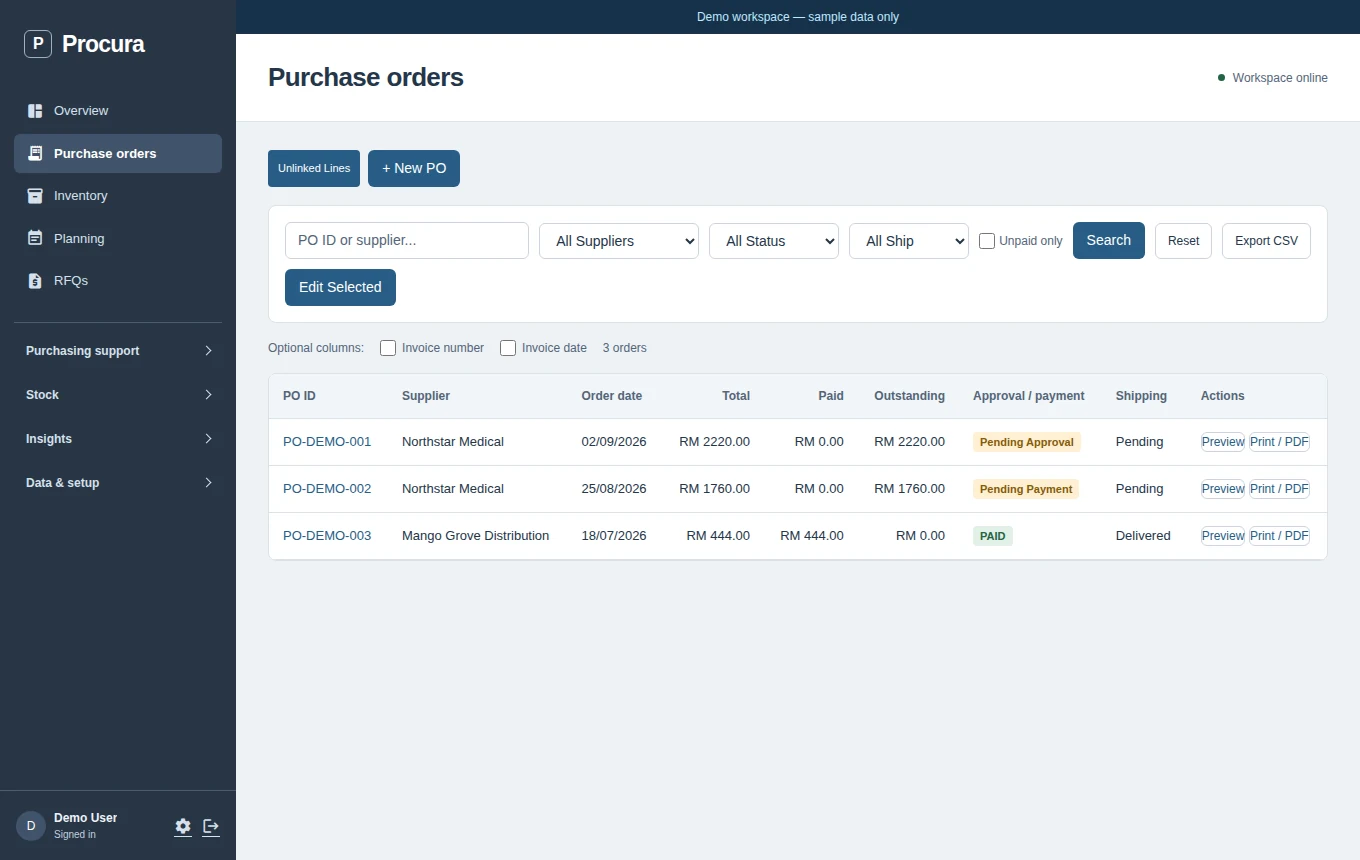
- Purchase orders. Follow the order workflow using fictional suppliers and sample amounts.
Actual Procura UI; isolated fictional demo records.
In use
Procura, 4 of 4
- In production at a veterinary hospital
- Replaced a Google Apps Script and Python setup
- Its spend analysis guides supplier choice and credit terms
PIMS
1 of 4
Inventory operations
Procurement and inventory workflows for a veterinary hospital, from internal requests to receipt and stock take.
Replaced paper stock requests at a veterinary hospital.
What it solves
PIMS, 2 of 4
A team needs to request stock, review it and record what arrived without losing the handover between departments.
- Raise an internal request
- Review and approve
- Track the order and receipt
- Record stock activity
Its screens
PIMS, 3 of 4
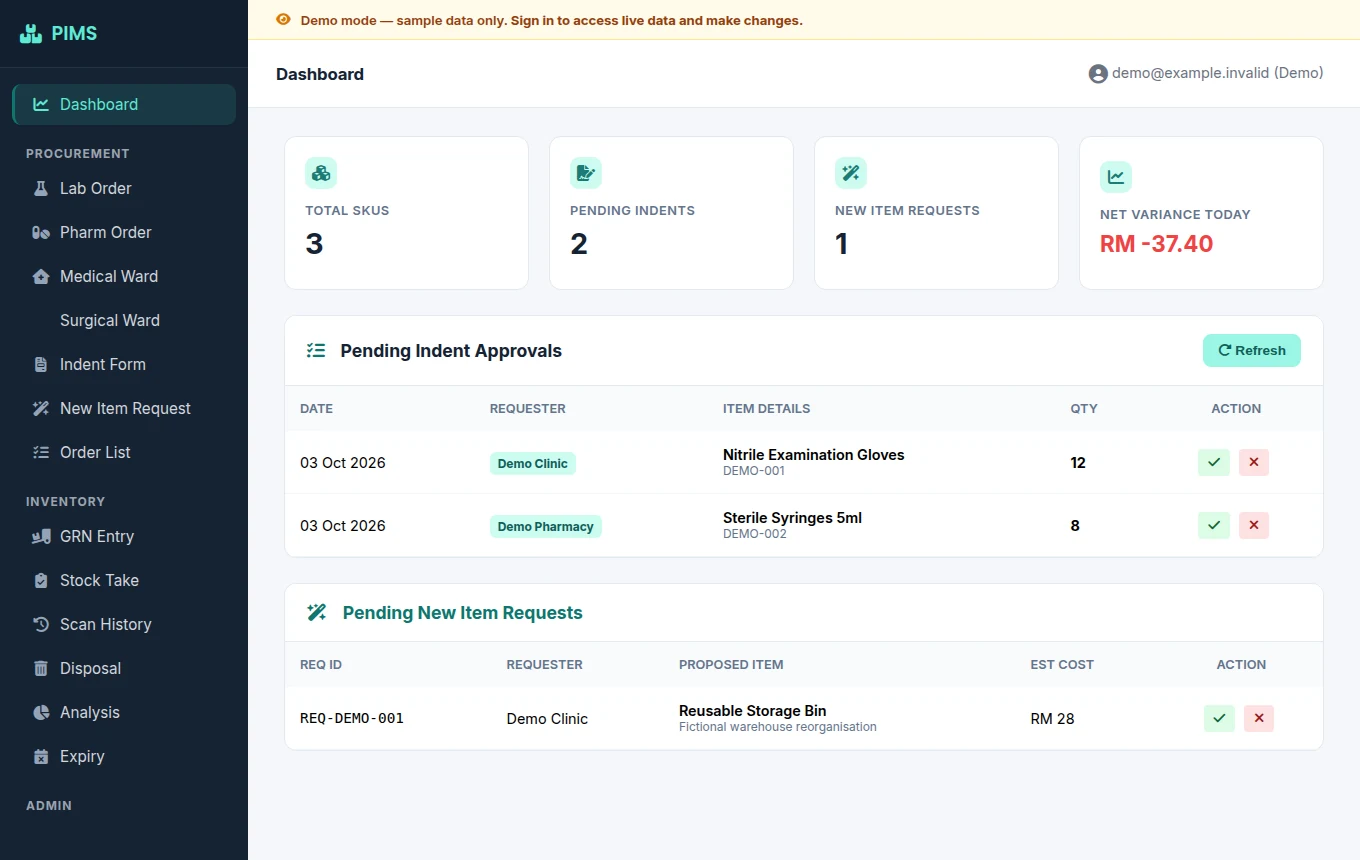
- Dashboard. See pending requests and workflow summaries in one place.
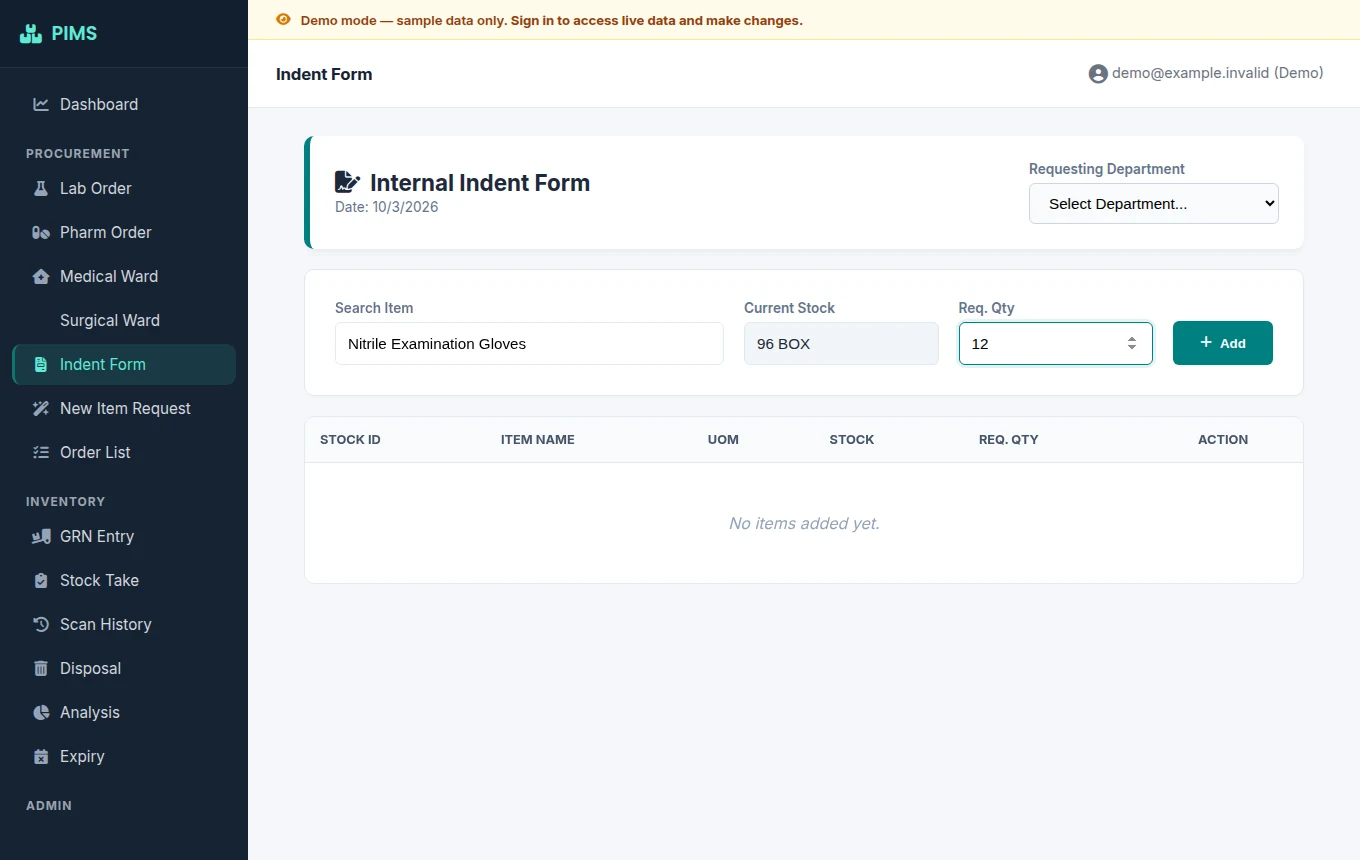
- Indent request. Inspect the request form with a fictional item and quantity.
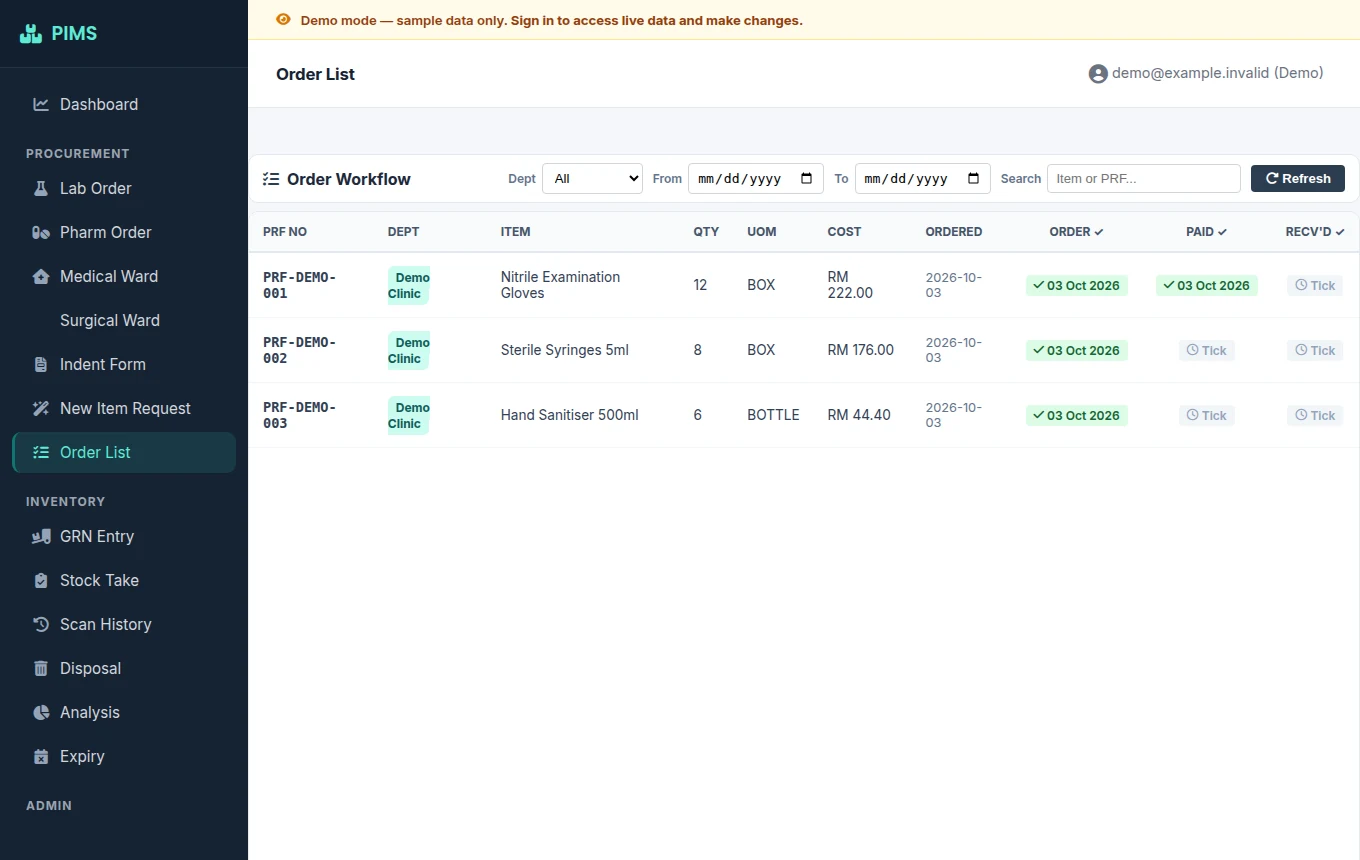
- Order tracking. See order, payment and receipt stages in the real interface.
Actual PIMS UI; local fictional sample responses.
In use
PIMS, 4 of 4
- In production at a veterinary hospital
- Replaced paper stock requests, approvals and stock checks
Records with an audit trail
Daily counts and corrections that keep the original entry, with a name on every change.
DD Drugs Register
1 of 4
Clinical recordkeeping
A hospital dangerous-drugs register that compares physical and system counts while preserving the record.
In daily clinical use since September 2026.
What it solves
DD Drugs Register, 2 of 4
A daily count needs a clear owner, an explicit discrepancy and a correction history that does not erase the original entry.
Workflow outline
DD Drugs Register, 3 of 4
Workflow outline, not a screenshot
- Enter the daily physical count
- Compare with the system count
- Identify any discrepancy
- Record a correction with a reason
Workflow outline only; no clinical records shown.
In use
DD Drugs Register, 4 of 4
- In daily clinical use since September 2026
- Every entry is attributable to a named user
Requirements
How I work, 1 of 3
I model the data around the real workflow.
Build
How I work, 2 of 3
I put it in front of the people who use it. My own AI agent tests, reviews and ships changes through pull requests, including to this site.
Measure
How I work, 3 of 3
I let the numbers decide what's next.
AI assistants and automation
Repeated work done by an agent or a pipeline, with your review before anything goes out.
Theoses
1 of 4
AI assistant & coding agent
A self-hosted personal assistant and coding agent, built on the pi coding agent and forked to suit my own workflow.
Runs my scheduled work every day: purchasing alerts, reports and content.
What it solves
Theoses, 2 of 4
Research, files, reports and code changes need continuity across conversations, and important actions still need human review.
- Ask about a real workspace
- Inspect files and evidence
- Prepare a draft or change
- Review before consequential action
Its screens
Theoses, 3 of 4
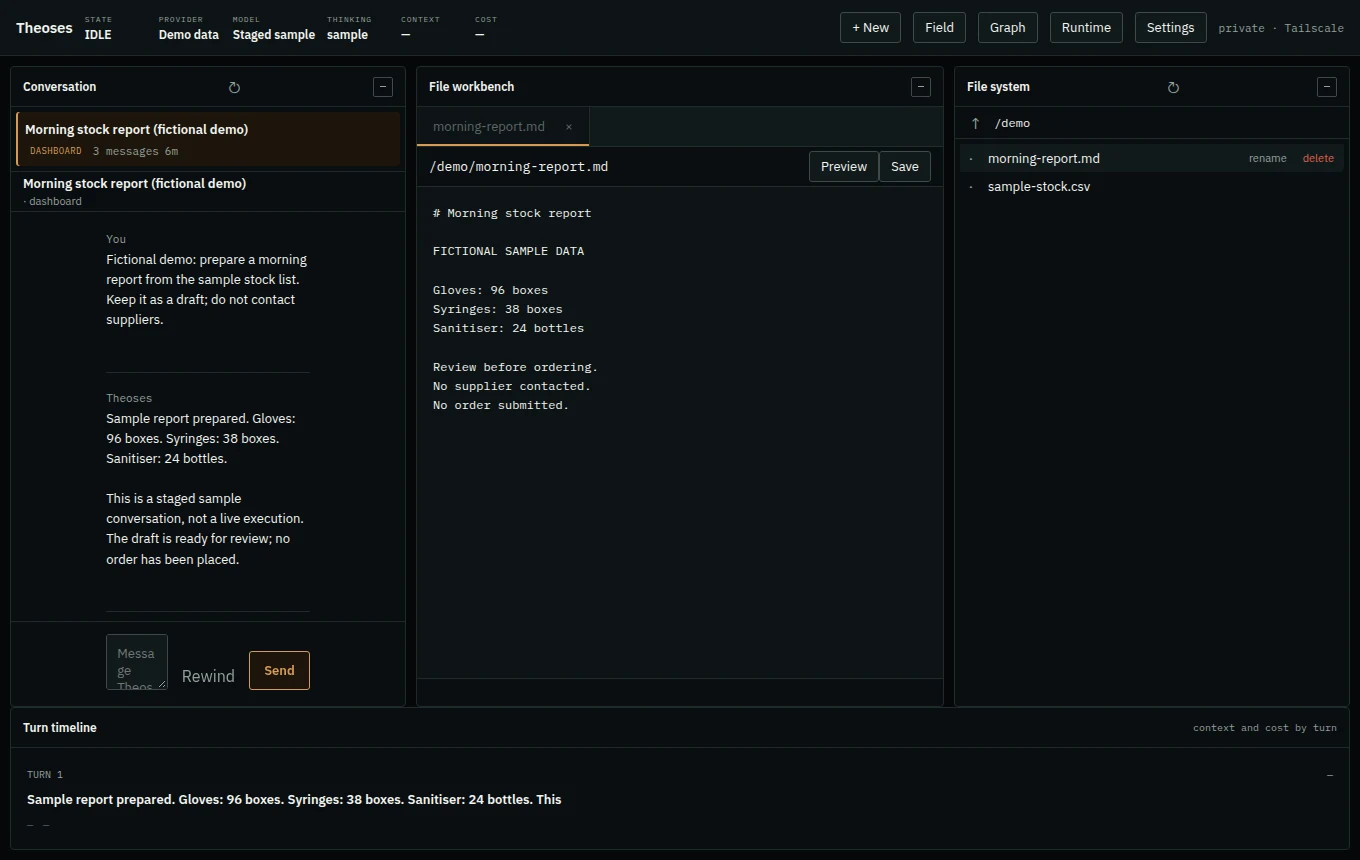
- Draft report. Inspect a clearly staged stock-report conversation and fictional draft.
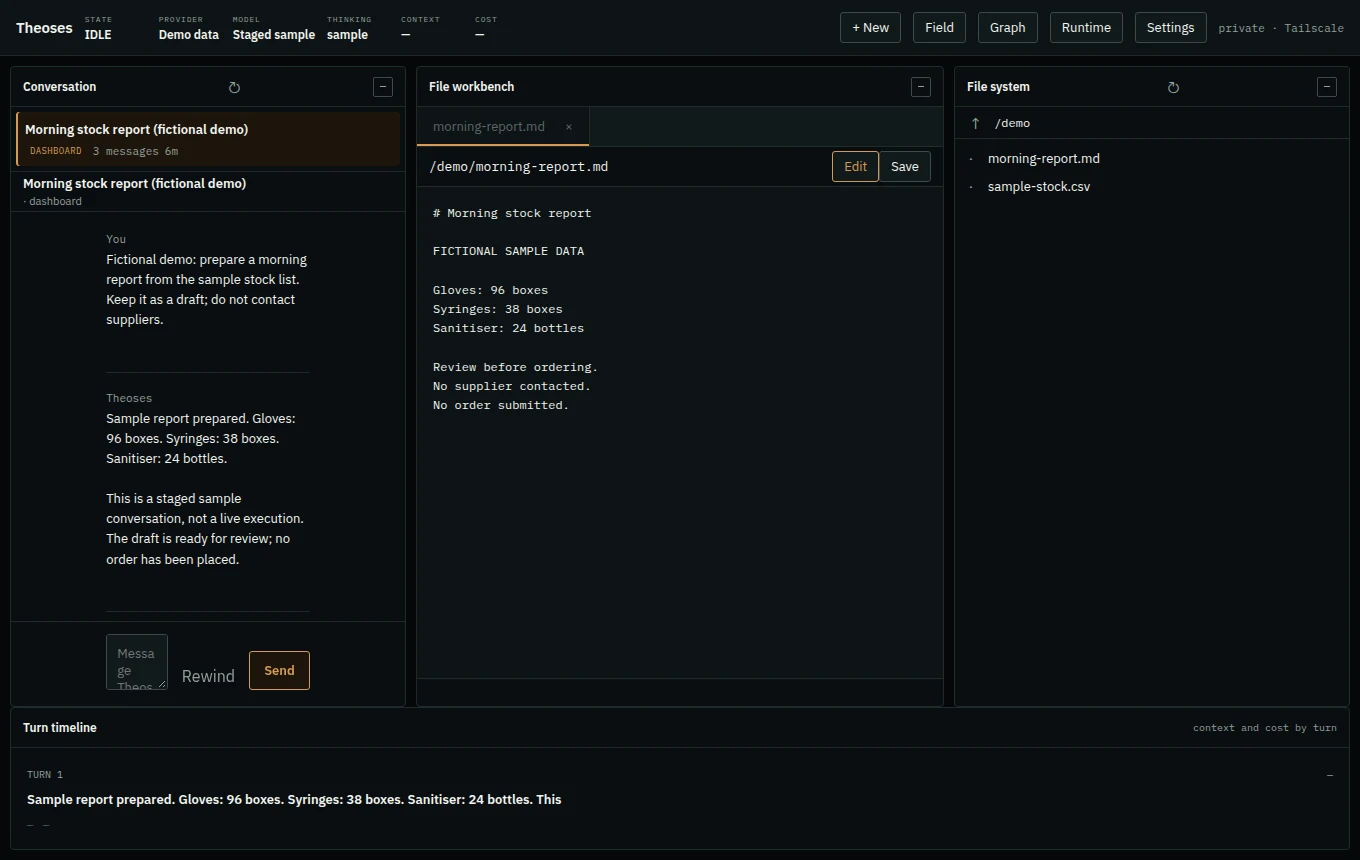
- Review draft. See the draft in review mode. No message or order is sent.
Actual Theoses dashboard; staged sample conversation, not live execution.
In use
Theoses, 4 of 4
- 730+ commits and 360+ merged pull requests since September 2026
- About 30 scheduled jobs across my automation workspaces
- Daily use: purchasing alerts and follow-ups, weekly reports, a social content pipeline, research and coding
89lab content pipelines
1 of 4
Content pipelines & AI teaching
A set of automated pipelines that research, write, voice, render and publish short AI news, concept lessons and GitHub repo highlights every day on Facebook, YouTube, Instagram and Threads.
Publishes AI news, lessons and videos every day.
What it solves
89lab content pipelines, 2 of 4
Teaching AI in public means posting every day: finding the topic, checking the facts, writing, voiceover, captions, rendering and publishing on several platforms. Done by hand, a day gets missed, a topic repeats or a weak post goes out.
Workflow outline
89lab content pipelines, 3 of 4
Workflow outline, not a screenshot
- Pick a fresh topic: a news story, a trending repo or an AI concept, never one already posted
- Research it and write a short script that passes length and source checks
- Voice it, caption it and render the video
- Publish on schedule, record the post and send me a report on Telegram
Workflow outline; no publishing action is triggered.
In use
89lab content pipelines, 4 of 4
- AI news shorts and AI concept explainers on the 89lab Facebook page, every day
- A trending GitHub repo on YouTube Shorts and Threads, every day
- A build with AI series on YouTube Shorts
- A practical AI lesson on Instagram, every day
- One AI concept researched and added to the library, every day
Yen
1 of 4
Go AI agent
A Go version of my Theoses agent design that keeps one conversation and its memory as you move between terminal, Telegram and a browser.
One assistant that keeps the conversation as you switch apps.
What it solves
Yen, 2 of 4
An assistant should retain a conversation’s identity when its owner moves between a terminal, Telegram and a browser.
Workflow outline
Yen, 3 of 4
Workflow outline, not a screenshot
- Enter through a channel
- Resolve the canonical conversation
- Run the agent and its tools
- Persist the conversation and memory
Architecture outline; no live agent session shown.
Where it stands
Yen, 4 of 4
Yen is a separate Go implementation, not a claim that it has replaced Theoses or achieved complete feature parity. This page shows an architecture outline, not a running agent or an invented chat.
Android apps
Local-first phone apps that work without accounts or tracking.
MAP
1 of 4
Local-first Android app
Tasks, calendar, documents, scan-to-PDF and local music in one personal Android utility.
On my own phone every day.
What it solves
MAP, 2 of 4
Everyday organisation can mean moving between unrelated tools, even when the task and the files are already on the phone.
- Check the Home/Today view
- Plan tasks in the calendar
- Keep local documents together
- Use scanning and local music
Its screens
MAP, 3 of 4
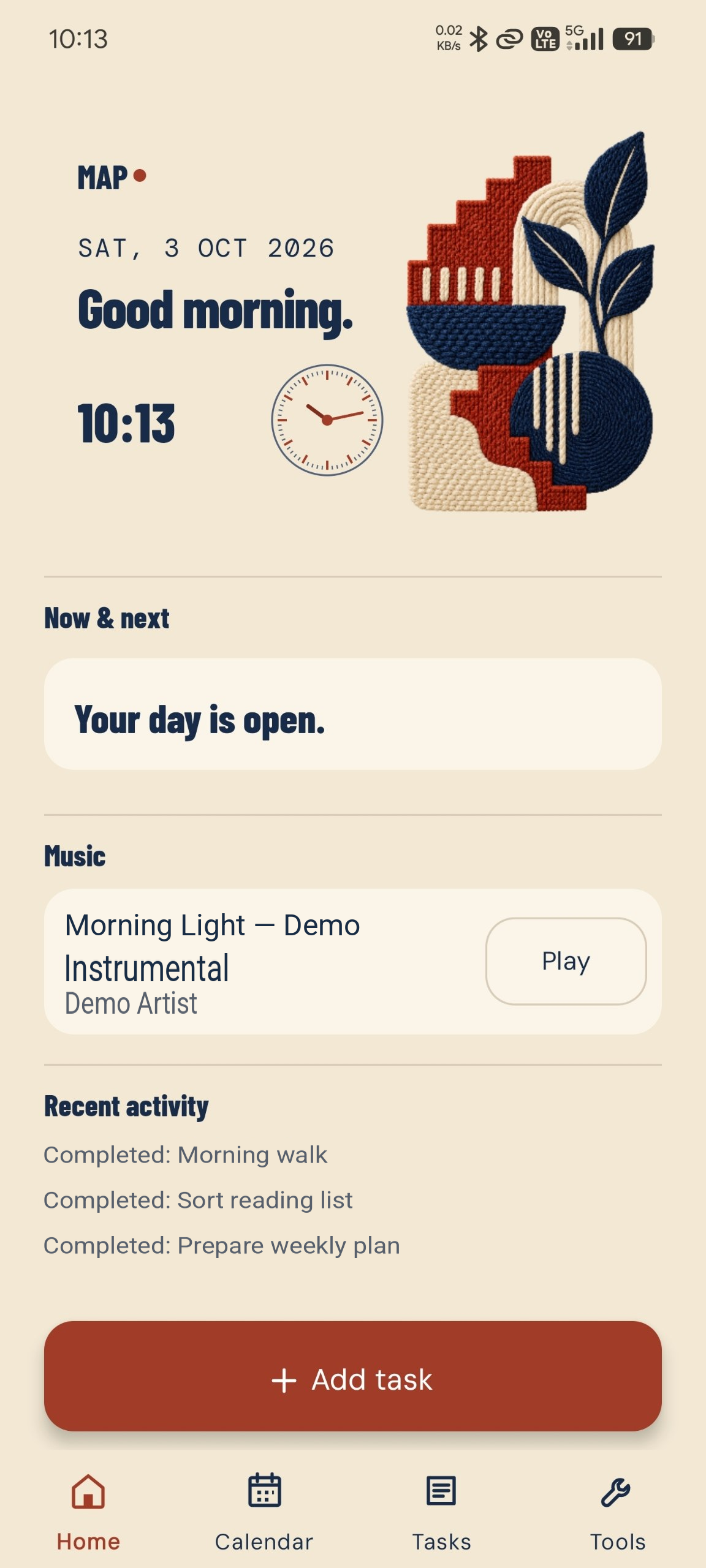
- Home. See Home/Today, music and recent activity with fictional text.
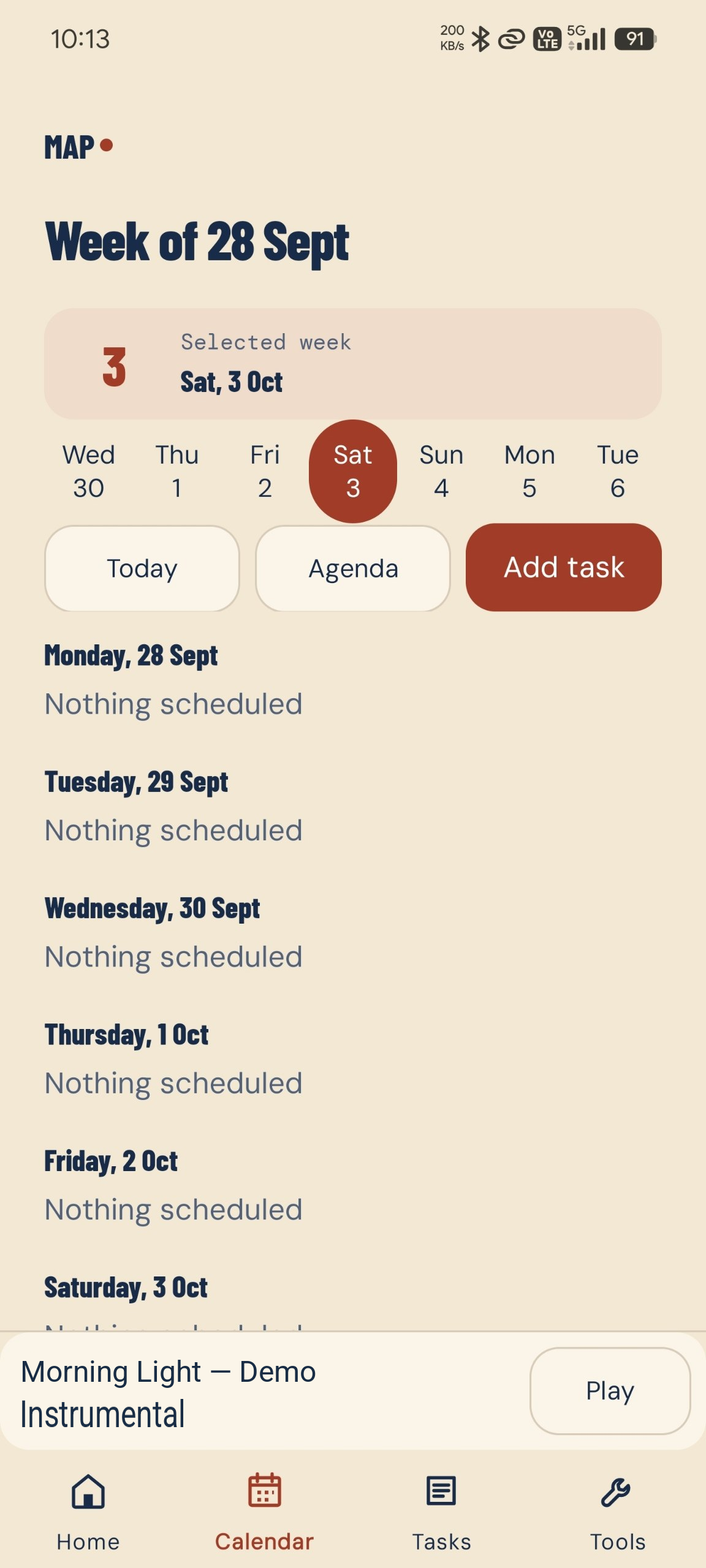
- Calendar. Inspect the calendar view; no fictional appointments were added.
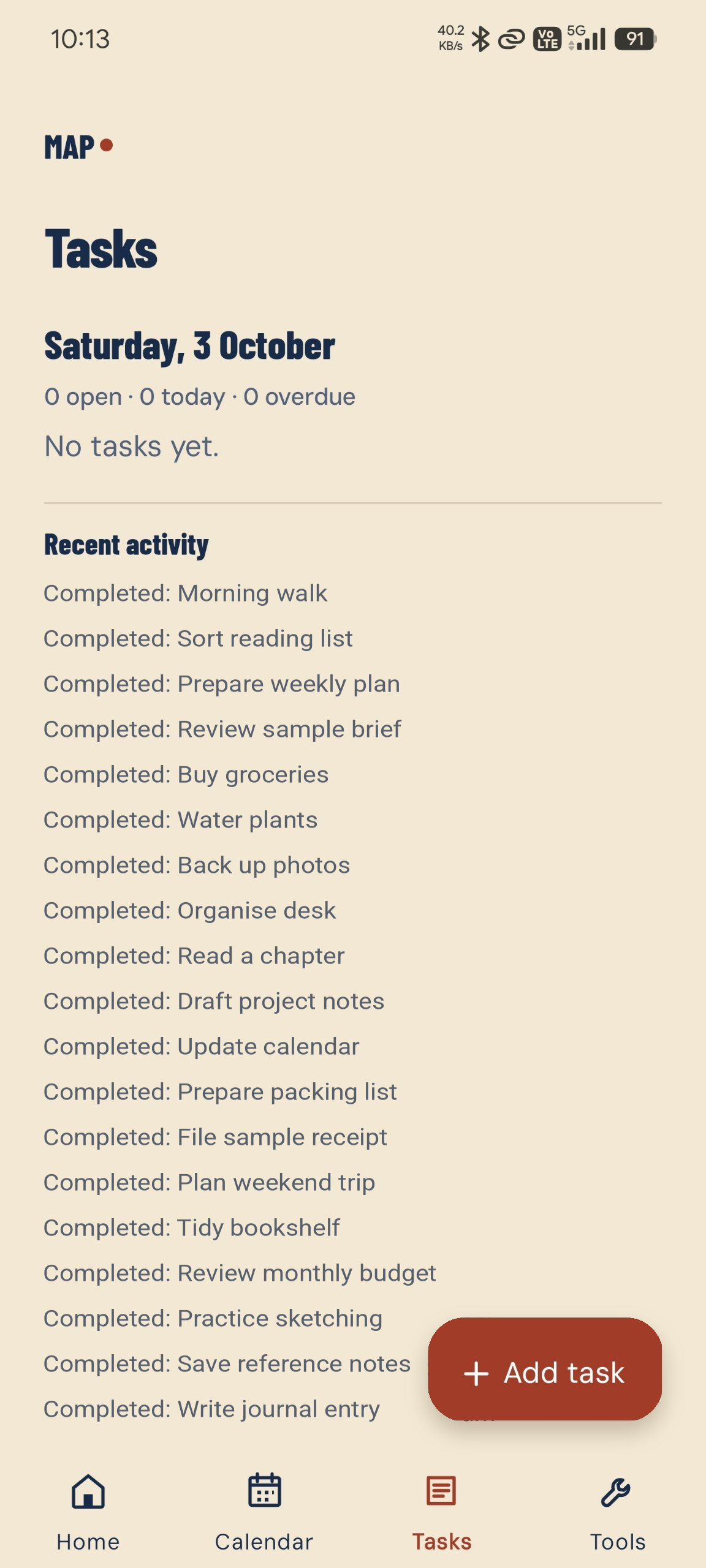
- Tasks. See the task screen and fictional completed activity.
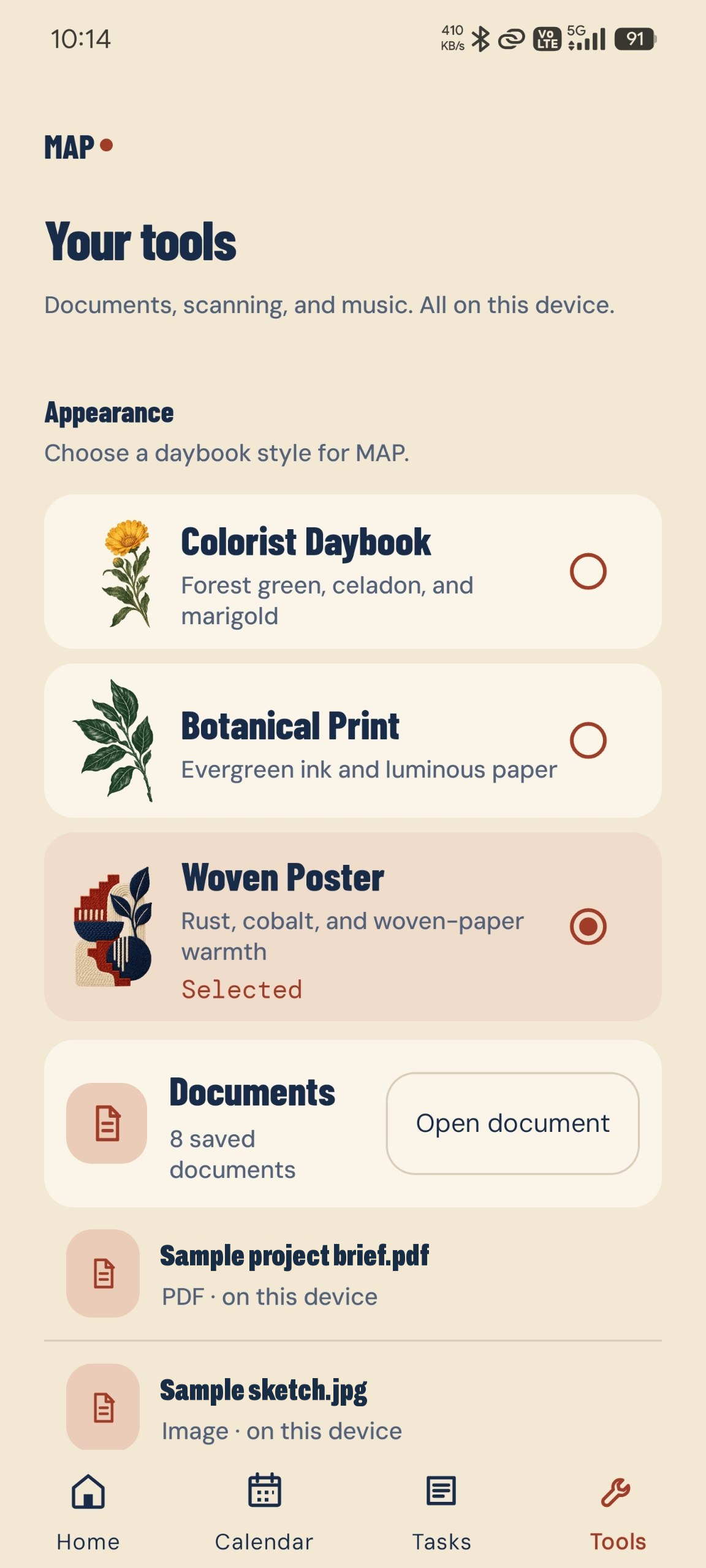
- Tools. Explore the real appearance choices and document list with safe filenames.
Edited MAP phone screenshots; fictional demo text. Original app layout retained.
In use
MAP, 4 of 4
- In daily use on my own phone
- Reminders with Done and Snooze actions
- Weekly on-device backup
AI teaching and coaching
Learn how to design an AI agent, which tools to use and how to build the system yourself, with me alongside.
My content pipelines publish AI news, a GitHub project to learn from and an AI concept explained every day. I coach people and teams who want to design and build their own agents and automation.
About me
-
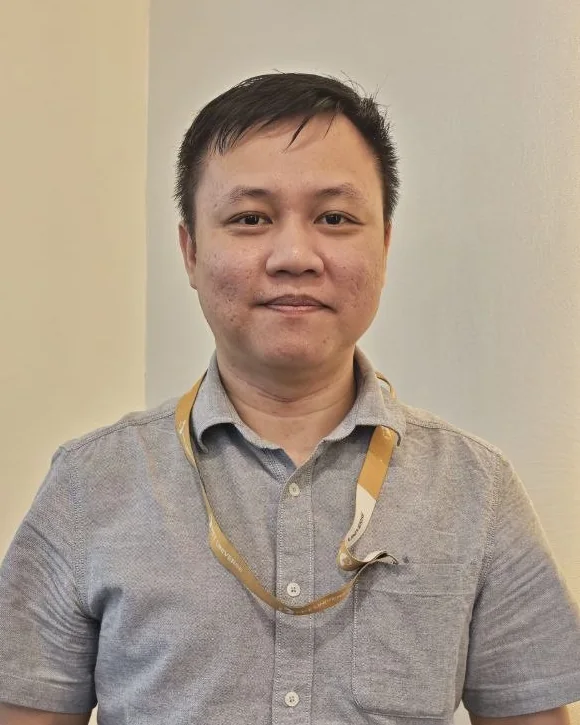
Operations first, then software
Four years building systems, with AI automation at the core, coming from hands-on procurement, pharmacy and emergency care. PIMS, Procura and the DD Drugs Register run daily at the veterinary hospital where I work.
-
Agents that run on their own
Running Theoses, my self-hosted AI agent: about 30 scheduled jobs and 730+ commits in six weeks. Also building agent harnesses from scratch in Go (Neo, Fender, Mino), with more than a dozen public repositories on AI automation and agent design.
What should your software do?
Tell me what your team does today, what gets repeated, and what a better workflow would look like. Based in Selangor, Malaysia (GMT+8).
Hiring for internal tools or AI automation? Read my résumé
hafizwasabie@gmail.com